A smart TV can generate a surprising amount of network traffic while doing practically nothing. Ours was sitting in the program guide, happily exchanging data. Apparently, displaying a list of television shows is a very social activity.
That traffic is not automatically evidence of spying. But TV manufacturers have made the business model pretty clear: selling you the panel is only the beginning. The installed base creates an ongoing opportunity to sell advertising, and knowing what appears on your screen makes those ads more valuable.
If you want the strongest assurance that your TV cannot phone home, keep the TV itself off the internet. Connect a separate computer over HDMI and use the television as a display. Turning off automatic content recognition is still worth doing, but a privacy toggle and a disconnected network cable offer very different levels of certainty.
Key Takeaways
- ACR can identify content from built-in apps, HDMI inputs, and USB playback.
- Encrypted network traffic limits independent verification of what a smart TV sends.
- DNS filtering can reduce unwanted connections but cannot guarantee that telemetry is blocked.
- Keeping the TV offline provides stronger protection than relying on privacy settings alone.
Table of Contents
- What Is Your Smart TV Actually Sending?
- How Automatic Content Recognition Works
- Why a Privacy Toggle Is Not the Same as a Guarantee
- How This Could Get Worse
- Can Pi-hole or DNS Filtering Stop Smart TV Tracking?
- The Most Reliable Fix: Use Your Smart TV as a Dumb Display
- Sponsor: Learn Backend Development With Boot.dev
What Is Your Smart TV Actually Sending?
This was the biggest obstacle in our testing: we could see the traffic, but we could not reliably determine what all of it contained.
Most of the traffic was encrypted. That is normal, and generally good. Modern internet connections should protect their contents with TLS, commonly still referred to as SSL. A television also has plenty of legitimate reasons to transfer data, including program listings, preview clips, and information about whatever movie you have selected.
So, no, a busy packet capture does not prove that every connection contains your personal information.
The privacy concern comes from something more concrete: manufacturers acknowledge that their televisions can identify the content being displayed and use that information commercially.
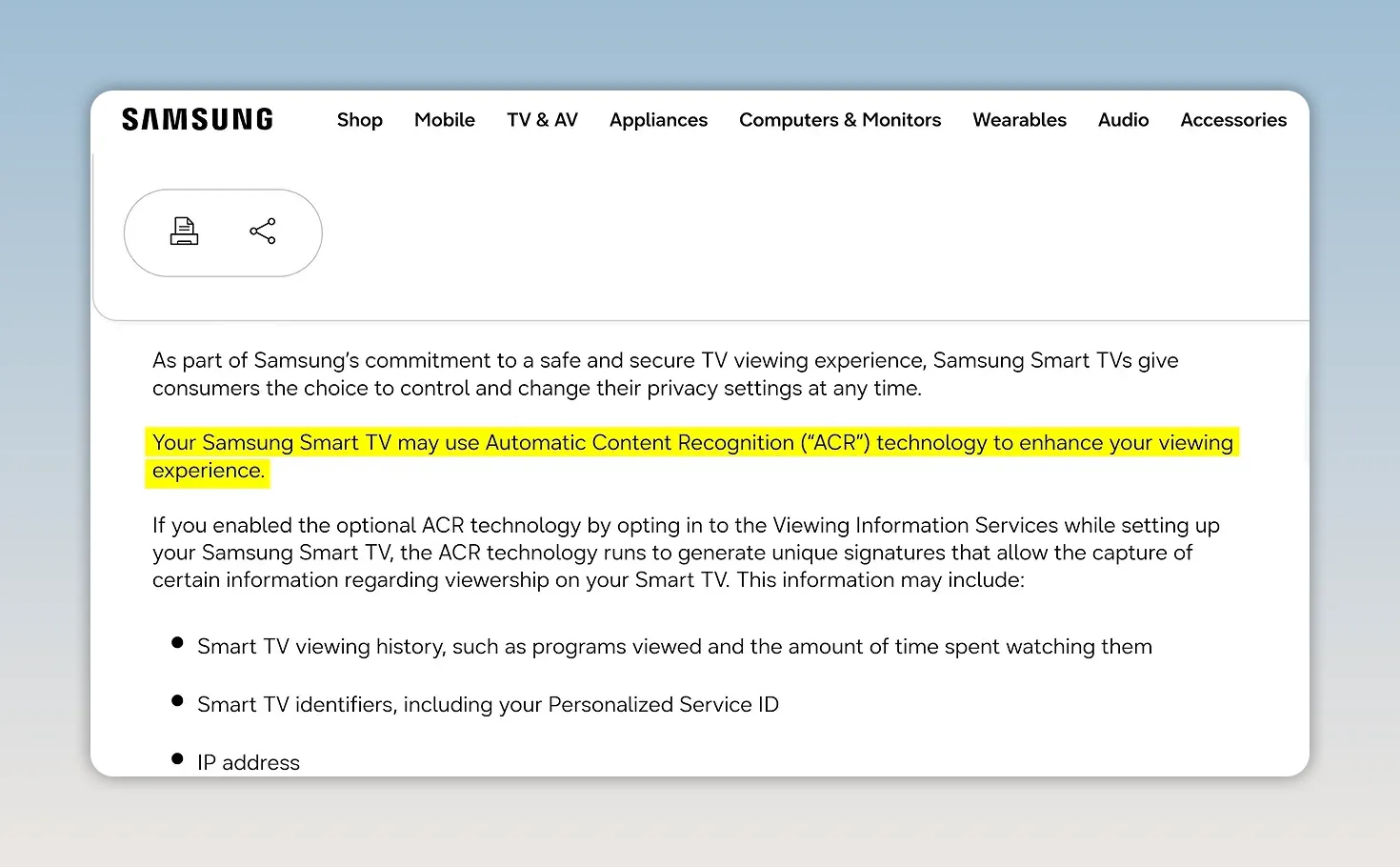
We tried several man-in-the-middle approaches to inspect the encrypted packets. In a controlled setup, that can involve getting a device to trust a certificate you control, allowing an intermediary to decrypt and inspect the connection.
None of the TVs we tested provided a way to install the custom certificates we needed. We could not get them to establish connections that our equipment could decrypt.
That limits what we can claim. We have evidence that content recognition exists, but we do not have a complete inventory of everything these TVs transmitted. Suspicion is not the same thing as a decoded packet.
How Automatic Content Recognition Works
Automatic content recognition, or ACR, identifies media from samples of its picture or sound. The basic concept is not new. Shazam was identifying songs back in 2002 using audio recognition, and related techniques have been used in televisions for years.
Identifying a great song in a food court? Pretty cool. Quietly building a profile of everything that crosses your television? Somehow less charming.
The process generally works like this:
- The TV takes samples of the picture or audio it is outputting, potentially multiple times per second.
- Those samples are converted into compact digital fingerprints.
- The fingerprints are sent to a service that compares them against a database of known content.
- Matches can help build a profile of your media habits for advertising.
The important detail is that the source does not necessarily matter. This is not limited to a built-in Netflix app. Depending on the implementation, content recognition can also apply to an HDMI input or media played from USB.
That means plugging in a Windows desktop or opening the family photo collection does not automatically put that content outside the television’s reach. The TV is still the device producing the picture.
Some smart TVs also have built-in microphones. Their presence is a separate privacy consideration, but it is important not to confuse that with how all ACR works: recognizing the TV’s own audio output does not inherently require recording the room.
Turn Off ACR, Even If the Setting Has a Ridiculous Name
Yes, you should disable ACR if you do not want it. The frustrating part is finding it.
Manufacturers do not always label the setting “automatic content recognition.” Instead, look for names or related privacy controls such as:
- Smart Interactivity or Viewing Data
- Live Plus
- TV Content Recognition or Interest-Based Ads
- Personalized Ads or Smart TV Experience
- Usage and Diagnostics
These labels are not interchangeable across every brand or model, and some control related advertising or telemetry rather than ACR itself. Read the accompanying descriptions instead of assuming that one advertising switch covers everything.
There is no universal menu path we can honestly provide for every television. The useful instruction is to find the content recognition and data-sharing options on your specific model and disable the ones you do not want.
Why a Privacy Toggle Is Not the Same as a Guarantee
Turning ACR off might do exactly what you expect. Our testing did not establish that manufacturers secretly keep it running after you disable it.
My concern is that verifying compliance is difficult. When the outgoing data is encrypted and you cannot inspect it, independently confirming what a privacy setting actually stops becomes a much bigger project.
Then there is the long-term trust problem. Software changes. Privacy agreements change. Features change. The controversies around Windows 11, Recall, and Copilot are a useful reminder of why “just turn it off” does not necessarily settle a privacy argument forever.
I do not want my television’s privacy to depend entirely on a manufacturer continuing to respect a setting through every future update. Nor would I be shocked if content recognition eventually became a condition buried in an agreement required to use some television features.
That is a concern about incentives and future behavior, not a finding from our packet captures. The distinction matters.
How This Could Get Worse
Time to put on the tinfoil hat, but label it properly: this section is about possible future capabilities, not something we proved these TVs are doing today.
Traditional fingerprint matching compares a compact representation of a picture or sound against known media. It does not require sending a readable screenshot of your desktop.
But what prevents a future implementation from sending the screenshot itself?
With suitable compression, even a 4K image can be relatively small. Against a background of previews, streaming content, and other network activity, additional image transfers could be difficult to distinguish by traffic volume alone.
Add AI image classification, and the system would not necessarily need a match in a catalog of known movies or advertisements. It could potentially categorize previously unknown material, including sensitive information displayed from a connected computer, such as bank accounts or medical records.
That would be a very different privacy problem from identifying which sitcom is playing.
Take the hypothetical another step: a future TV could attempt to identify content it considers unauthorized and refuse to display it. HDMI already supports copy protection through HDCP, so restrictions in the display chain are hardly an alien concept. Content recognition used as a general-purpose enforcement system would be a further step, not something our tests demonstrated.
The point is not that every alarming possibility is happening now. It is that a connected display occupies an unusually sensitive position, and its owner should have meaningful control over it.
Can Pi-hole or DNS Filtering Stop Smart TV Tracking?
A tool like Pi-hole sounds like an obvious solution: block the domains associated with advertising and telemetry, and the television cannot find the servers it wants to contact.
That can be useful. It is not a reliable guarantee that nothing gets through.
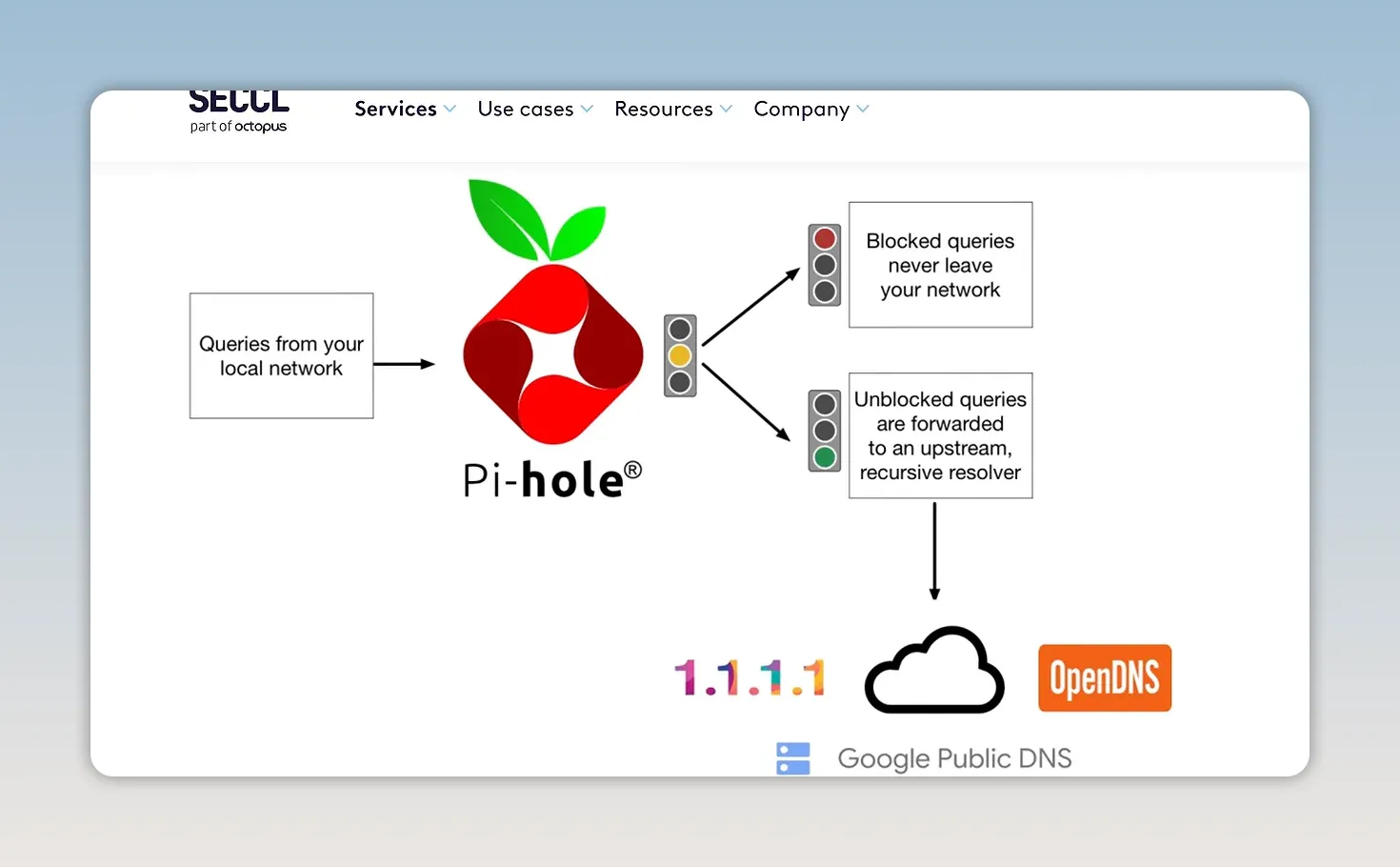
Being Told Which DNS Server to Use Is Not Being Forced to Use It
Most of the televisions we tested did not expose manual network settings. They depended on DHCP, which lets the router provide configuration information, including a preferred DNS server.
Even when your router supplies the address of your filtering DNS server, that does not guarantee that every device will obey. We have encountered Android devices that ignore the DNS servers they are told to use.
The distinction is simple: configuration is a request to the device. Enforcement requires control over its network access.
Encrypted DNS Complicates Interception
Redirecting conventional DNS traffic on port 53 used to be a straightforward way to catch devices trying another resolver. Modern DNS has more options:
- DoH: DNS over HTTPS
- DoT: DNS over TLS
- DoH3: DNS over HTTP/3
- DoQ: DNS over QUIC
Protocols such as DNS over HTTPS protect DNS requests with encryption. That is valuable for privacy in many situations, but it also means that simply intercepting ordinary DNS queries does not catch every possible lookup.
This does not mean every TV uses every one of these methods. It means a DNS-only strategy cannot guarantee control over an uncooperative device.
A TV Does Not Have to Use DNS at All
A device could have a list of destination IP addresses built into its software and contact those addresses directly. It could then obtain an updated list later.
At that point, blocking domain names does not address the connection.
Blocking IP Addresses Becomes a Maintenance Job
Fine, then block the IP addresses. Easy, right?
Only if you know what each destination does and can keep that knowledge current. Large cloud providers host enormous numbers of unrelated services. You need to distinguish telemetry from the streaming content you actually want, along with any other services sharing that infrastructure.
Our example was Amazon’s roughly 200 million IP addresses, within an already enormous publicly addressable IPv4 space. IPv6 makes the address-space discussion even bigger.
The practical problem is not merely writing a block rule. It is identifying destinations, blocking them, checking that desired functions still work, and repeating the process when something changes.
Nobody wants a television that comes with a second job as its unpaid network administrator.
The Most Reliable Fix: Use Your Smart TV as a Dumb Display
If the goal is to prevent the television itself from sending data home, remove its internet connection instead of trying to identify every unwanted transmission.
- Disconnect Ethernet. Unplug the TV’s network cable, not its power cable.
- Remove its Wi-Fi access. If it already has saved credentials, consider a factory reset so it no longer retains that connection, and skip network setup afterward.
- Connect a separate source over HDMI. My preference is a Linux-powered PC, leaving the TV to do the one job I actually bought the panel for.
- Enable direct startup to HDMI if available. Some manufacturers let you bypass the smart home screen and start on a chosen input.
That last feature makes the arrangement much less annoying. Press power, land on your computer’s input, and largely ignore the TV’s smart platform.
Using HDMI alone is not the protection. Keeping the TV offline is. A connected television may still recognize content coming through an external input.
The tradeoff is giving up the television’s built-in online apps. You are moving those functions to another device, whose privacy behavior needs its own consideration. A Linux PC is a choice about control, not a magical promise that every service accessed through it collects nothing.
If you are shopping for a replacement, a genuinely non-smart television is another option. Sceptre is one of the remaining brands we have covered that still makes them.
Could future televisions include cellular modems and bypass the home network altogether? That is another hypothetical, not a finding about our test units. For the TVs we tested, though, removing network access is a much firmer boundary than trusting an opt-out setting.
Disable ACR if you keep the television online. Use filtering if it helps reduce unwanted connections. Just do not confuse reducing telemetry with guaranteeing that the TV cannot transmit it.
You can find the discussion of our testing in the smart TV privacy forum thread.
Sponsor: Learn Backend Development With Boot.dev
Boot.dev teaches backend development through hands-on projects, with material covering Python, Go, Linux, and SQL. Its gamified approach includes experience points, levels, and quests, because learning to code should involve actually building things, not just collecting tabs full of tutorials.
Use code LTT for 25% off your first payment.


