Walking around Cyrodiil in Oblivion Remastered was not something I expected to do in VR. Neither was swinging a sword as Link or climbing into BT’s cockpit in Titanfall 2. Yet here we are, thanks to a modding community that apparently decided waiting for official VR ports was taking too long.
These unofficial flat-to-VR mods do much more than put a giant virtual monitor in front of your face. Depending on the game, you get head tracking, independently aimed weapons, physical reloads, and a world that finally surrounds you.
And the mods are free. The games, headset, and frankly alarming amount of GPU horsepower are another matter.
I tried everything from spectacular but stomach-churning experiments to a conversion so good that it became my favorite VR experience. There is a huge difference between getting a game to run in a headset and making it something you actually want to play that way.
Key Takeaways
- Free VR mods can add head tracking and physical interactions to games originally designed for flat screens.
- Community profiles simplify setup, but compatibility does not guarantee comfortable movement or smooth performance.
- Titanfall 2 delivered the most convincing and enjoyable VR conversion in our hands-on testing.
- The RTX 5070 delivered playable Titanfall 2 results, while the RTX 3060 struggled at our settings.
Table of Contents
- Expedition 33: Incredible Scale, Incredible GPU Demands
- How UEVR Turns Flat-Screen Games Into VR Games
- Breath of the Wild in First Person Is Ridiculous, in the Best Way
- Titanfall 2 Is the One I Would Actually Play This Way
- What GPU Performance Can You Expect?
- Why VR Benchmarking Got Messy
- Worth Trying, Even When It Is Not Perfect
- Sponsor: Odoo
Expedition 33: Incredible Scale, Incredible GPU Demands
Clair Obscur: Expedition 33 makes the appeal immediately obvious. Standing beside its characters on a rocky ledge feels completely different from moving them around on a monitor. Familiar environments become places with actual depth, height, and presence.
That also means the edge of a cliff suddenly becomes a problem for your brain, even though your feet are planted safely on the floor.
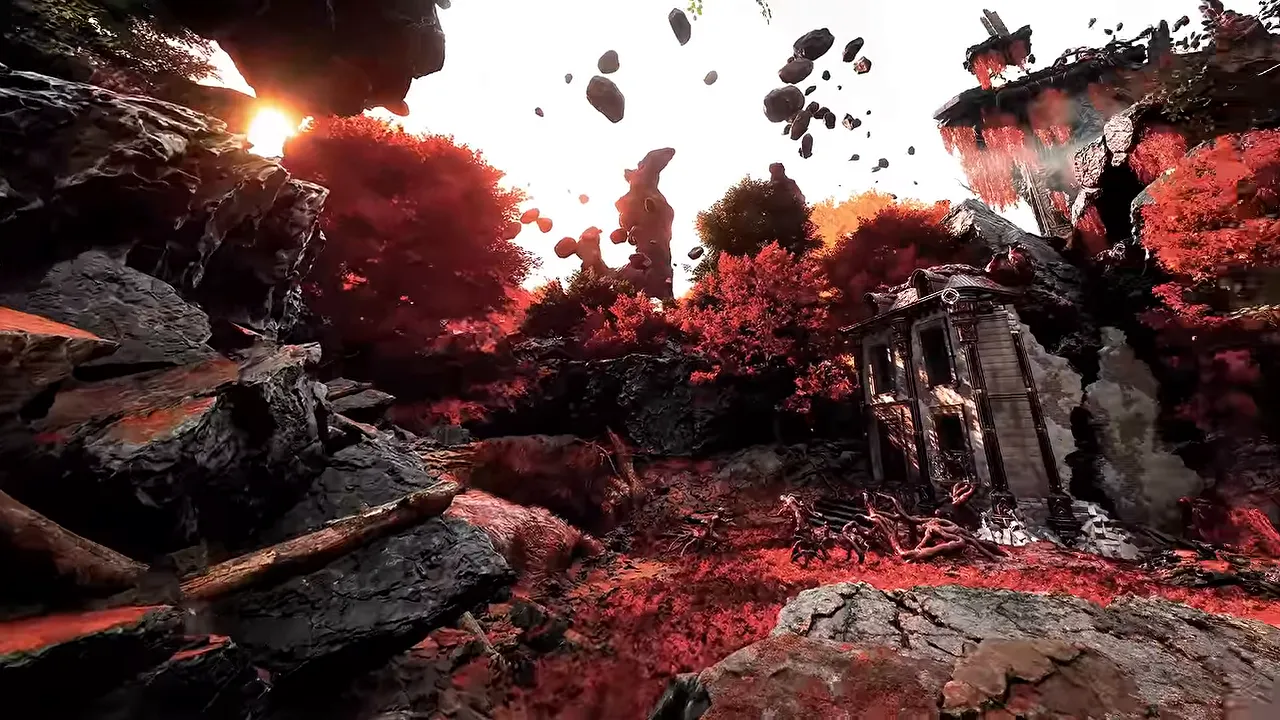
Standing still was amazing. Moving around was considerably less amazing. The game was not designed around VR comfort, and it shows. Camera movement that is perfectly ordinary on a screen can become deeply unpleasant when it fills your field of vision.
The graphical fidelity is another double-edged sword. Compared with many purpose-built VR games, these environments are extraordinarily detailed. But rendering them in VR is extremely demanding. Even on an RTX 4090, I was not getting the smooth frame rate I wanted.
Combat was a mixed bag, too. Without the quick-time events in our setup, the fights initially felt a little less engaging. Then an enormous rock monster appeared, and suddenly I had more immediate concerns. A creature that looks big on a monitor feels like a three-story building coming after you in VR.
That is the promise and the problem in miniature: astonishing immersion, with performance and comfort that do not automatically come along for the ride.
How UEVR Turns Flat-Screen Games Into VR Games
A big part of what makes this possible is Praydog’s UEVR project, a community tool for Unreal Engine 4 and Unreal Engine 5 games.
The goal is to make adding VR support require as little intervention as possible. In compatible games, UEVR can provide full head tracking and controller-based aiming. That does not mean every Unreal Engine game magically becomes a polished native VR release, but it gives the community a remarkably powerful starting point.
Trying a game nobody has configured before can still involve plenty of troubleshooting. Fortunately, you do not have to be the person blazing that trail. The Flat2VR community maintains game discussions, compatibility labels, and premade profiles that help identify the experiences you can get into without spending your evening wrestling with settings.
A friendlier setup makes a big difference
We used a friendlier UEVR variant referred to as UEVR Deluxe, with an interface intended to simplify game detection and profile selection. The accompanying Unreal Easy Injector interface brings features such as an online profile database and automatic UEVR backend updates into a more approachable package.
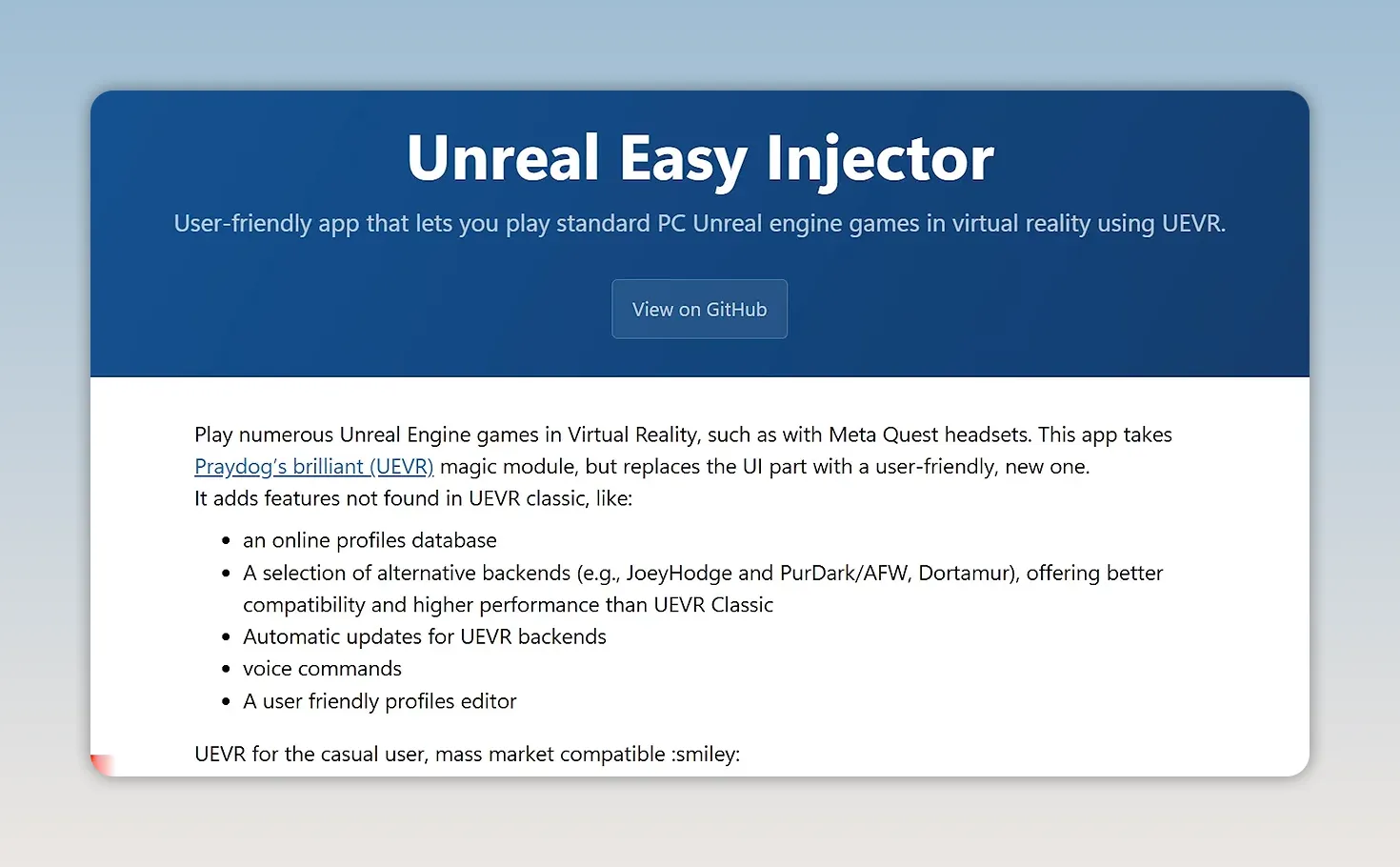
For an already supported game, the basic workflow becomes:
- Detect or select the installed game.
- Choose a suitable community profile.
- Select the appropriate headset connection or runtime option.
- Launch into the game and check that its controls and presentation behave properly.
There can still be system-specific fixes. For example, our setup required disabling Hardware-Accelerated GPU Scheduling in Windows. That is a troubleshooting detail from our experience, not a guarantee that every system needs the same change.
UEVR supports both OpenXR and OpenVR, giving it broad compatibility with consumer PC VR headsets. Our advance testing used a Meta Quest 3 through Virtual Desktop, while the hands-on session used a Steam Frame. The later Labs comparison included both headsets.
Broad headset support is great. Just remember that compatibility answers “Can this work?” rather than “Will this be comfortable at my current settings?”
Breath of the Wild in First Person Is Ridiculous, in the Best Way
VR modding is not limited to Unreal Engine games. Emulator-based projects open up another set of possibilities, including The Legend of Zelda: Breath of the Wild.
The BetterVR mod works with the Wii U version through Cemu. This is a separate approach from UEVR, and it puts you into a first-person Hyrule with tracked hands and weapons.
Looking down and finding Link’s equipment in my hands was an immediate “Okay, this is sick” moment. There is a shield. There is a sword. There are haptics going absolutely nuts. Suddenly, I am Link rather than the person steering Link.
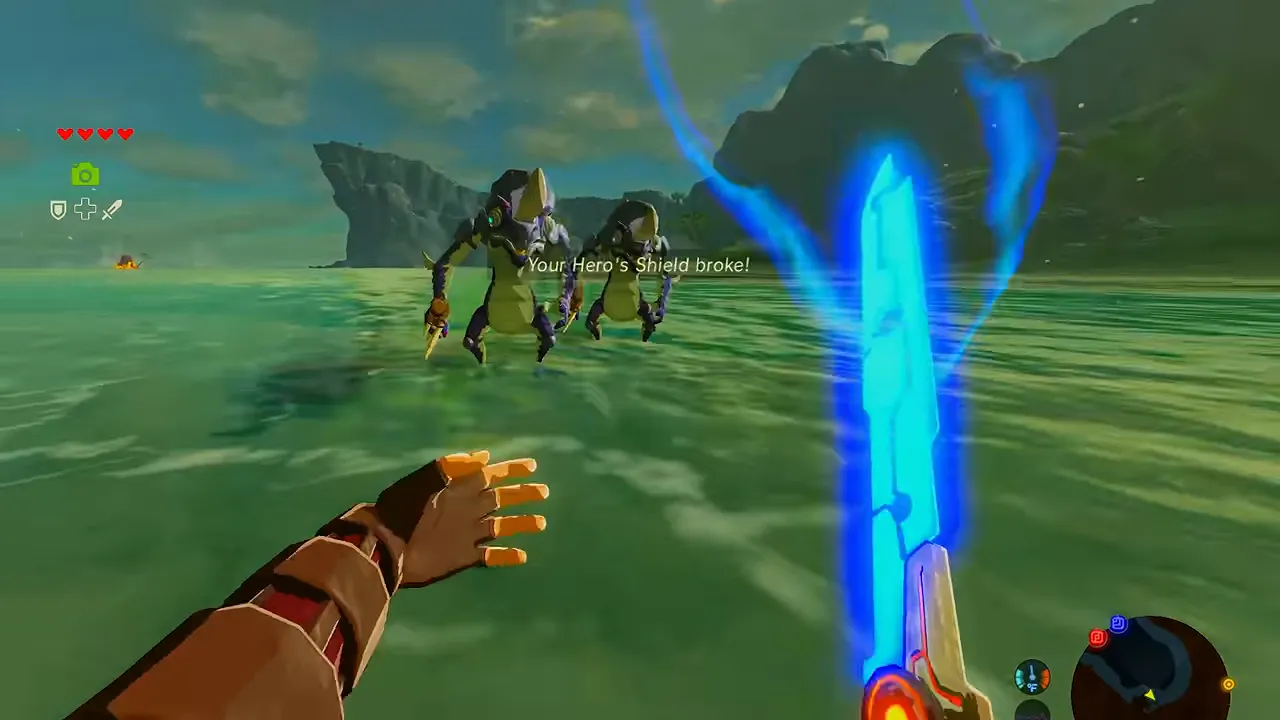
The mod supports both physically moving within your available space and joystick locomotion. That distinction becomes very noticeable when you approach a virtual cliff. My brain needed a moment to accept that the drop in front of me was not a real drop.
Actually fighting enemies was a blast. Swinging a weapon yourself adds a kind of physical involvement the original controls simply do not have. Equipping the Sword of the Six Sages and bringing that enormous blade into combat was pretty awesome.
But there were rough edges:
- Downhill movement was especially nauseating. A familiar slope becomes much less friendly when your eyes report a descent that your body is not making.
- Some atmospheric effects looked wrong. Patches of mist appeared to shift oddly as I moved my head.
- The original graphical limitations remain visible. This is the Wii U version’s world, now presented much closer to your face.
My reaction was that this was absolutely worth experiencing, but not necessarily how I would choose to finish the entire game. Being inside Hyrule is wonderful. Wanting to spend dozens of hours there in this particular configuration is a different question.
Titanfall 2 Is the One I Would Actually Play This Way
Then came Titanfall 2.
This was the first conversion where my reaction changed from “What a cool experiment” to “Yes, this is how I want to play this game.”
CircuitLord’s VR mod installer is the relevant starting point for this conversion. Unlike the general-purpose Unreal approach, the result here feels much closer to a deliberately adapted VR game.
The weapons feel like VR weapons
You can raise a gun and look down its sights naturally. Weapon handling includes physical interactions, reloads, and shoulder-based gestures. You can even adjust where you hold a weapon’s grip.
Those details make a huge difference. A gun is no longer an animation attached to the middle of the screen. It is something you position and manipulate.
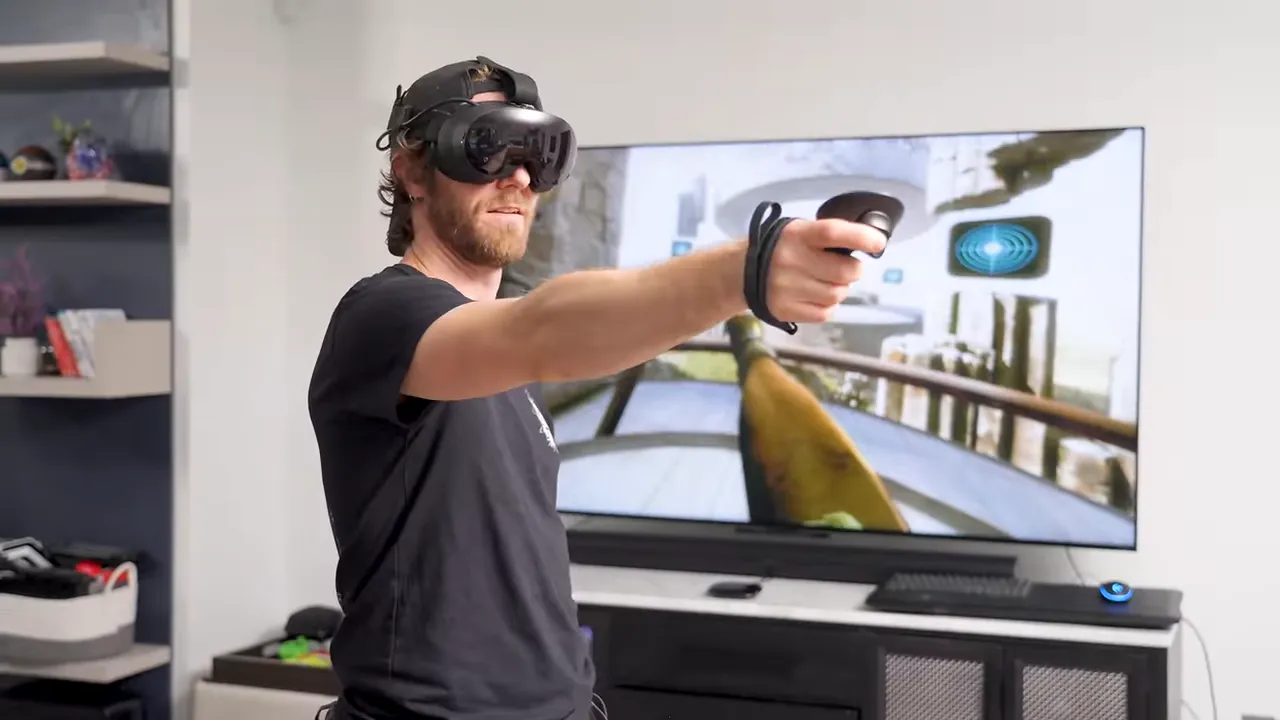
Reloading also changes the pressure of combat. Running low on ammunition is suddenly not just a matter of tapping a button and waiting for an animation. You have to remember what your hands are supposed to do while enemies continue being extremely inconsiderate.
I got comfortable with the process surprisingly quickly, but it still made ammunition management feel more immediate. My preferred approach would be to lower the difficulty a little and enjoy the campaign in VR.
There are compromises. In our configuration, a cinematic appeared as a floating screen in a dark space rather than a fully surrounding scene. The mod also exposes presentation options for that behavior. Either way, not every moment has been transformed into a native VR sequence.
BT’s cockpit takes it to another level
The infantry combat was already enough to sell me. Then I climbed into the Titan.
Standing next to BT communicates the machine’s size in a way a flat screen cannot. Sitting inside the cockpit, surrounded by its frame and displays, takes that sense of scale and gives you control of it.
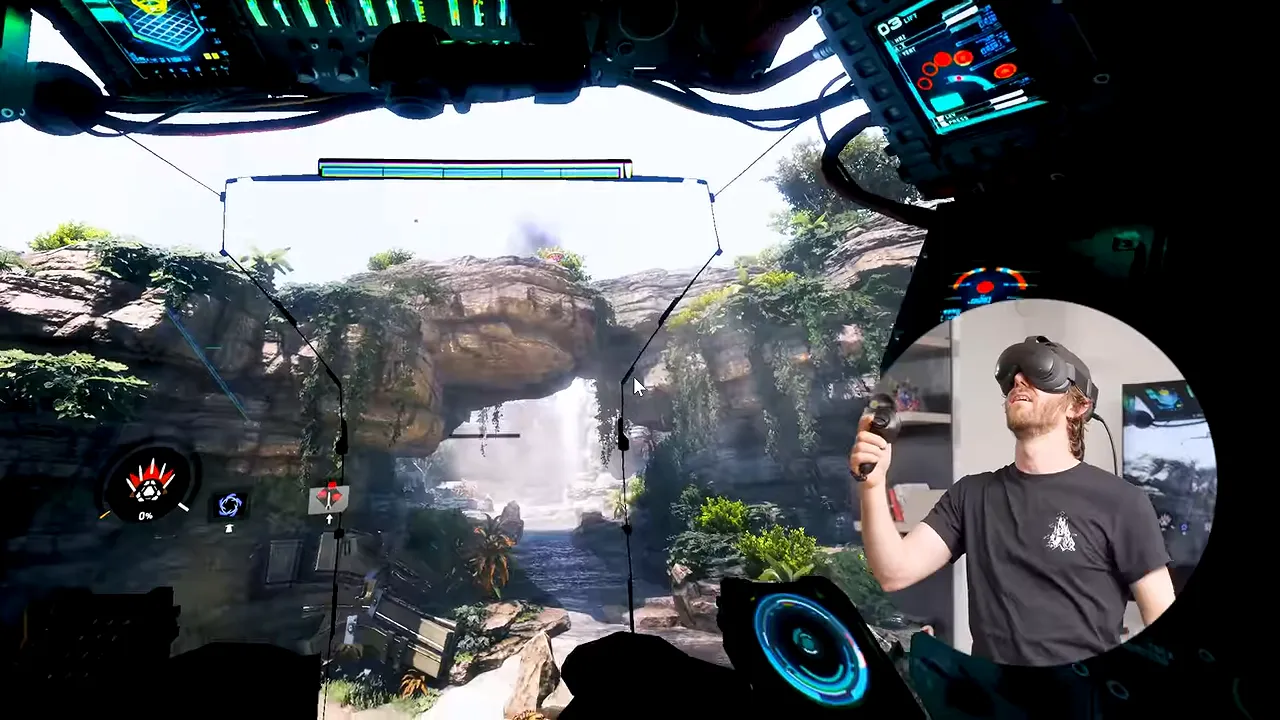
The game’s visual fidelity also lands in a particularly useful place. It looks detailed enough to be convincing, but its 2016 foundations make it more realistic to run in VR than some newer, heavier games.
It is not immune to discomfort. Sliding was unpleasant, and walking across tilted or uneven floors could be disorienting. The visual floor and the real floor were not always in agreement, and my stomach noticed.
Even with those caveats, the overall experience was exceptional. By the end of the Titan combat, I genuinely considered it the best experience I had ever had in VR. That is a ridiculous achievement for an unofficial conversion of a game that was already excellent on a monitor.
What GPU Performance Can You Expect?
Enthusiasm is great. Frame times still matter.
Our Labs team tested an RTX 3060 and RTX 5070, starting with flat-screen baselines for Doom Eternal, Titanfall 2, Silent Hill 2, and Oblivion Remastered.
The flat-screen target was at least 120 FPS while retaining as much visual quality as practical. The RTX 5070 could meet that target in the tested configurations without upscaling. The RTX 3060 struggled badly with the newer, heavier titles. In Silent Hill 2 and Oblivion Remastered, even dropping to 1600 × 900 was not enough to reach the target without resorting to DLSS Ultra Performance.
These were vanilla game configurations. We did not install performance mods to improve those results.
The wireless headset test setup
Both headsets were tested wirelessly, so the results include the PC overhead associated with video encoding and streaming. A wired headset could behave differently.
- Steam Frame: SteamVR, native eye resolution, 120 Hz refresh rate, and a Steam Link bitrate of 200 Mbps. Other settings stayed at their defaults apart from the attempted motion-smoothing disable.
- Meta Quest 3: Virtual Desktop using its OpenXR path, Medium VR Graphics Quality to approximate the headset’s native resolution, and a 200 Mbps bitrate. Synchronous Spacewarp, or SSW, was disabled to measure raw performance.
- Quest networking: A dedicated router sat beside the test system, with the PC connected to it over Ethernet.
For the repeatable Titanfall 2 test, we used the opening of The Ark mission through the jump onto the Malta gunship. Each scenario was run five times, and the results were averaged.
RTX 3060: Not enough at these settings
The RTX 3060 could not deliver the frame rates we wanted for these high-resolution VR workloads:
- Steam Frame: 43 FPS average, with a 34 FPS 1% low.
- Meta Quest 3: 50 FPS average, with a 38 FPS 1% low.
Those are not numbers I would want to combine with Titanfall 2’s movement, especially for anyone susceptible to motion sickness. The recommendation is a thumbs-down for this configuration unless you are prepared to do substantial tweaking.
RTX 5070: Playable, with room for improvement
The RTX 5070 delivered a much more usable result:
- Meta Quest 3: 108 FPS average, with a 78 FPS 1% low.
- Steam Frame: 103 FPS average, with a 79 FPS 1% low.
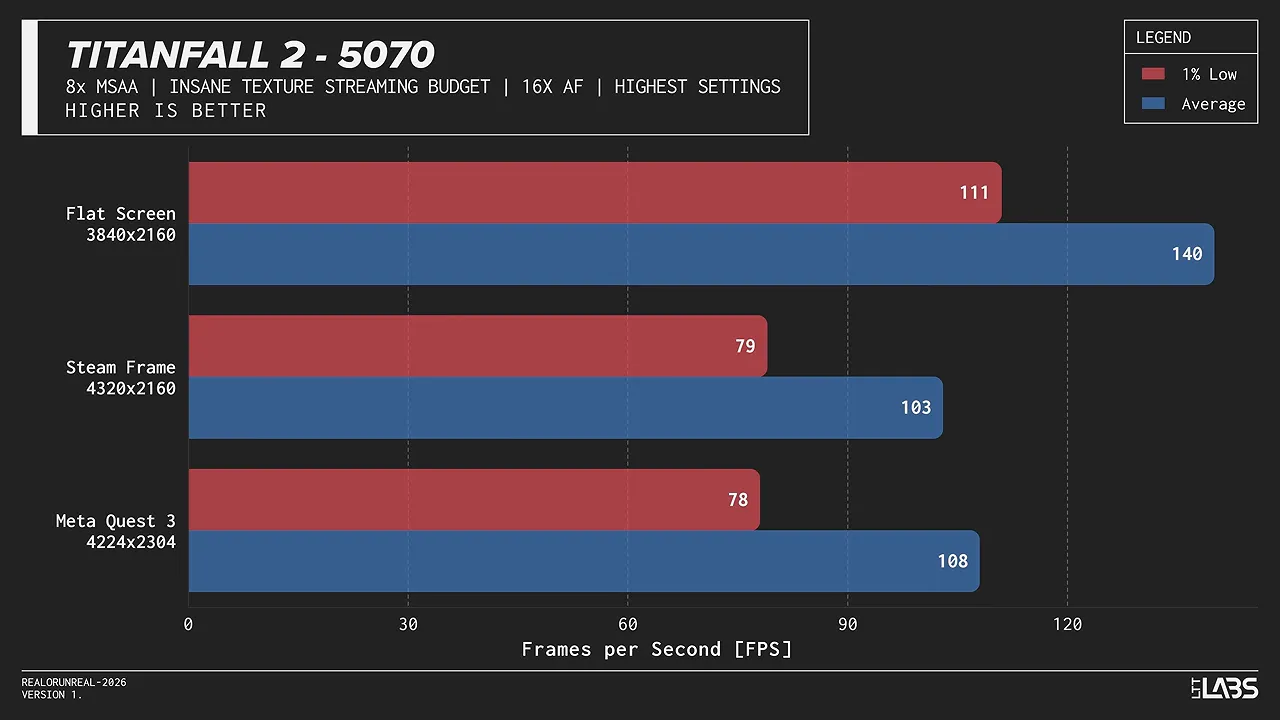
Both cleared the 72 FPS level the team used as a practical minimum for this test. That does not make 72 FPS a universal comfort guarantee, nor does averaging more than 100 FPS mean a headset configured for 120 Hz is always receiving a new rendered frame on time.
Even on the 5070, we would recommend adjusting settings and potentially investigating performance mods for a more comfortable experience. If you want substantial headroom in demanding conversions, a GPU that already handles modern AAA games well at 4K is a more sensible starting point.
Why VR Benchmarking Got Messy
We intended to measure more games. In the end, Titanfall 2 was the only title for which we could reliably collect usable VR performance results.
That limitation matters. These numbers are not a comprehensive ranking of every mod we tried.
Different runtimes need different measurement tools
Our usual performance tool, PresentMon, is primarily intended for conventional flat-screen applications. It can work with some VR scenarios, but it does not cover everything we needed.
XR Telemetry helped by hooking into OpenXR. However, that did not solve measurement for UEVR games running through OpenVR. Changing runtime paths could therefore mean losing access to the metrics we were trying to collect.
The other titles also presented visual bugs and performance problems, particularly on the RTX 3060. Rather than pretend those conditions produced clean, comparable results, we left them out. There may be improvements available with extensive tweaking, but that was outside this initial test.
Motion smoothing interfered with raw results
Steam Link introduced another complication: Valve’s motion smoothing remained active in a way that could cut the application frame rate when the system missed the refresh-rate target, despite our attempt to turn smoothing off on the headset.
For Titanfall 2, setting the Steam Frame to 120 Hz allowed us to obtain raw results. We could not get similarly clean data from the three UEVR titles in the test lineup.
The takeaway is not that VR cannot be benchmarked. It is that the headset, streaming application, runtime, smoothing behavior, and measurement tool all need to be accounted for. This was an initial, somewhat ad hoc investigation, not a finished universal VR testing methodology.
Worth Trying, Even When It Is Not Perfect
None of these experiences was flawless. Oblivion Remastered, ironically the game I was most excited to step into, was among the roughest.
But these projects dramatically expand what a VR headset can do, particularly if you want substantial, story-driven games rather than another short demonstration of a clever mechanic.
There is also a difference between the community modding scene and Flat2VR Studios, which is working on officially licensed adaptations. At the time of our test, High on Life was among its announced VR projects. The broader idea is no longer limited to unofficial experiments.
For now, the sensible approach is to start with a well-supported conversion, use an established profile where available, and treat comfort and performance as essential parts of compatibility.
Expedition 33 showed me the spectacle. Breath of the Wild let me physically inhabit a familiar world. Titanfall 2 made me want to stay there.
Free mods do not make the hardware requirements disappear. But when the result is piloting BT from inside the cockpit, it is awfully hard not to get excited.
Sponsor: Odoo
Odoo brings business tools such as spreadsheets, inventory management, automation, and custom app creation with Studio into one platform. If you only need one app, it offers a free option. Our sponsor offer includes a free 15-day trial with no credit card required.


