The appeal of a foldable phone has always been pretty simple: a phone in your pocket, a tablet when you need it. Getting there without a pile of compromises? That has taken a little longer.
I have been using Samsung’s Galaxy Fold phones since the beginning, and revisiting them makes two things painfully obvious. First, the original was rougher than I remembered. Second, the improvements that seemed incremental at the time have added up to something pretty freaking awesome.
Samsung Canada sponsored this comparison and provided every generation for a side-by-side look. But my enthusiasm for these things predates that sponsorship by a lot, as do my complaints. There are still a few.
Quick Summary
- The Fold2 made everyday use substantially easier with a larger cover screen and a more versatile hinge.
- The Fold5 closed the hinge gap, while the Fold7 made folded use feel like a conventional phone.
- The Fold8 introduces a 4:3 display, better battery life, and a markedly improved crease.
- The Fold8 Ultra targets maximum screen space with improved anti-glare performance and additional display reinforcement.
Table of Contents
- The Original Galaxy Fold: A Compromised Phone With an Incredible Trick
- Galaxy Z Fold2: Fixing the Everyday Frustrations
- Galaxy Z Fold3: Water Resistance, S Pen Support, and Better Software
- Galaxy Z Fold4: Useful Refinements Rather Than a Reinvention
- Galaxy Z Fold5: The Hinge Finally Closes the Gap
- Galaxy Z Fold6: Better Screens, but a Skip for Me
- Galaxy Z Fold7: The One I Actually Carry
- Galaxy Z Fold8: A Different Shape for Media
- Galaxy Z Fold8 Ultra: For the Biggest-Screen Crowd
- What All These Generations Actually Changed
- Moving to a Galaxy Fold
The Original Galaxy Fold: A Compromised Phone With an Incredible Trick
There is something charming about the original Galaxy Fold’s narrow, candy-bar shape. Or its “fold factor,” which really should be a term. Unfortunately, that charm wears off pretty quickly when you try typing on the tiny cover screen.
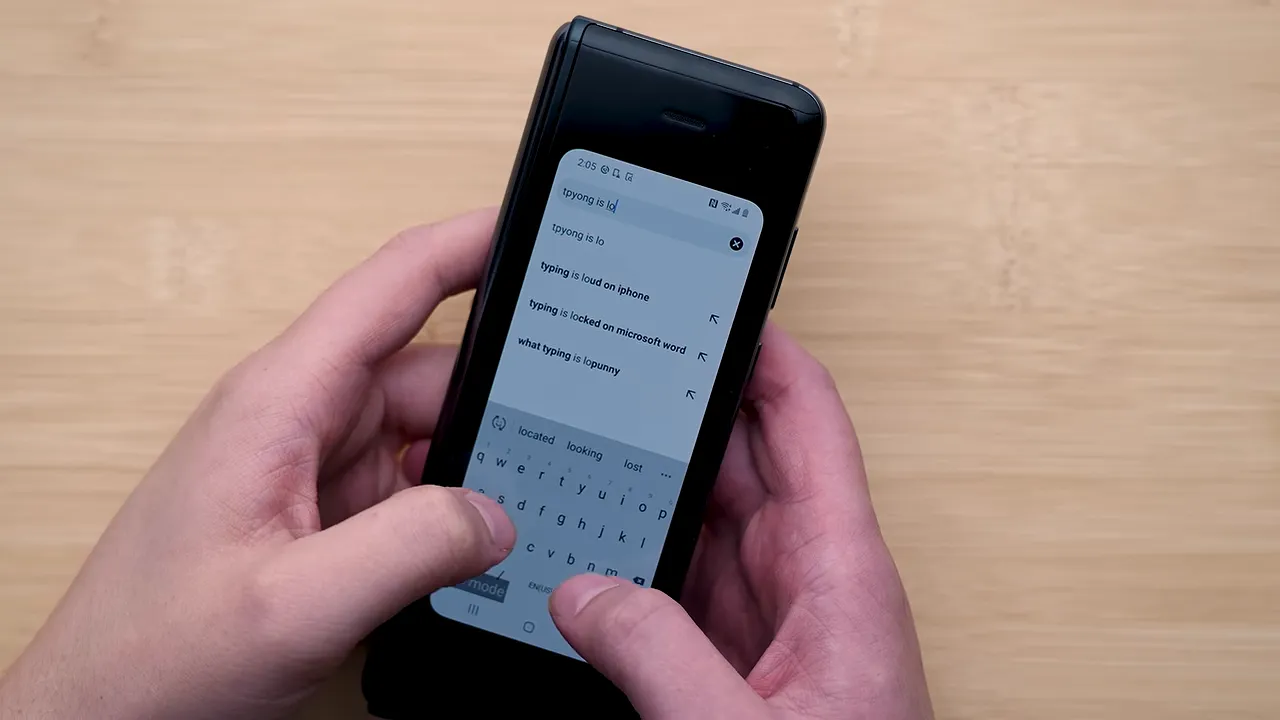
The small keyboard was only the beginning. The main camera was a substantial step down from other flagship phones, the inner display had a giant camera notch, and screen brightness was underwhelming. This was absolutely a device built around compromises.
And yet, I loved it.
The big inner screen and stereo speakers made it a fantastic media device. For the first time, it really felt like I had a tablet in my pocket, rather than just a slightly larger phone. That changed what I expected my phone to do.
It was also an instant conversation starter. Open it at a party or out in public and someone would want to know what it was. Even after all these generations, that part has not completely gone away.
The original Fold established the reason to buy a foldable. The generations that followed had to make the rest of the phone catch up.
Galaxy Z Fold2: Fixing the Everyday Frustrations
The Galaxy Z Fold2 was a major leap in usability, starting with the displays. The inner screen got brighter, reaching a maximum above 700 nits, and replaced that enormous notch with a much smaller hole-punch camera. Samsung also eliminated the distracting jelly-like scrolling effect of the first generation.
But the hinge was arguably the more important improvement. Instead of merely opening and closing, it could hold the phone at different angles. That turned the Fold into its own little stand.
You could rest it on gym equipment with content playing on the upper half, or place it on a ledge and adjust the camera angle without finding something to prop it against. That is the kind of improvement that sounds minor until you actually use it.
Other practical upgrades included:
- A 4,500 mAh battery: Finally enough to get me through the day.
- A combined fingerprint sensor and power button: An obvious convenience that somehow was not integrated on the original.
- A cover screen roughly two inches larger diagonally: A night-and-day improvement for using the phone while closed.
The inner screen still had issues. Its protector felt plasticky and grippy, and it collected grease with impressive enthusiasm. The crease was not dramatically less visible than before, either.
Still, the Fold2 made the basic experience much easier to live with. You no longer had to unfold it for nearly everything.
Galaxy Z Fold3: Water Resistance, S Pen Support, and Better Software
The Fold3 was where the package started to feel properly rounded out. Its headline durability feature was IPX8 water resistance, a first for a foldable reaching the market. A momentary splash by the pool no longer felt like an immediate threat to an extremely expensive purchase.
It also introduced an under-display camera on the inner screen. No giant notch. No conventional hole punch interrupting the display. The image quality was usable, which is about as enthusiastic as I am going to get about that particular camera, but I loved having a less obstructed screen.
Software was getting better, too. Apps including Spotify, YouTube, and Plex received meaningful optimizations for the larger display. A tablet-sized screen is only so useful if the software treats it like an awkwardly stretched phone, so these changes mattered.
Then there was S Pen support. If the whole pitch is that you are carrying a tablet in your pocket, being able to write on it seems like a pretty important application.
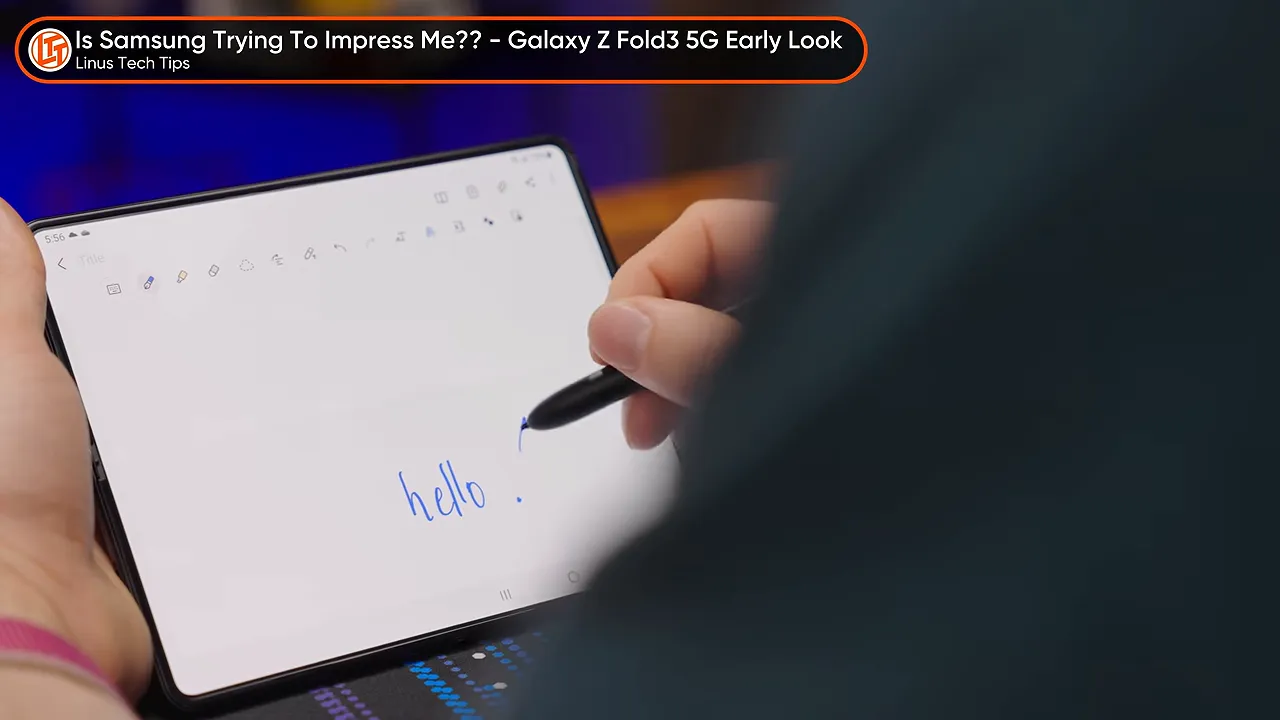
The cover display also moved to 120 Hz, matching the inner display’s refresh rate, while inner-screen brightness climbed above 900 nits. Switching between the two screens felt more consistent, and the larger display continued becoming more usable.
This was a great phone. It did not eliminate every annoyance, but it addressed several of the reasons someone might have dismissed foldables outright.
Galaxy Z Fold4: Useful Refinements Rather Than a Reinvention
The Fold4 was a quieter update. Its slightly wider cover screen made typing and reading more comfortable, continuing Samsung’s gradual retreat from the extremely narrow proportions of the original.
Durability improvements included an aluminum frame and Corning Gorilla Glass Victus+ on the front. The cameras received more substantial attention, with a 50-megapixel main camera and 3x optical telephoto zoom.
Those are worthwhile changes, particularly given how compromised the first Fold’s cameras had been. But as a generational upgrade, the Fold4 was not especially dramatic. Sometimes a good phone gets a little better, and that is the story.
Galaxy Z Fold5: The Hinge Finally Closes the Gap
The Fold5, on the other hand, was a banger.
This was the first Galaxy Fold that closed flat, rather than leaving a small gap between the two halves near the hinge. It improved pocketability, ergonomics, and the overall feeling that you were holding a premium, finished product.
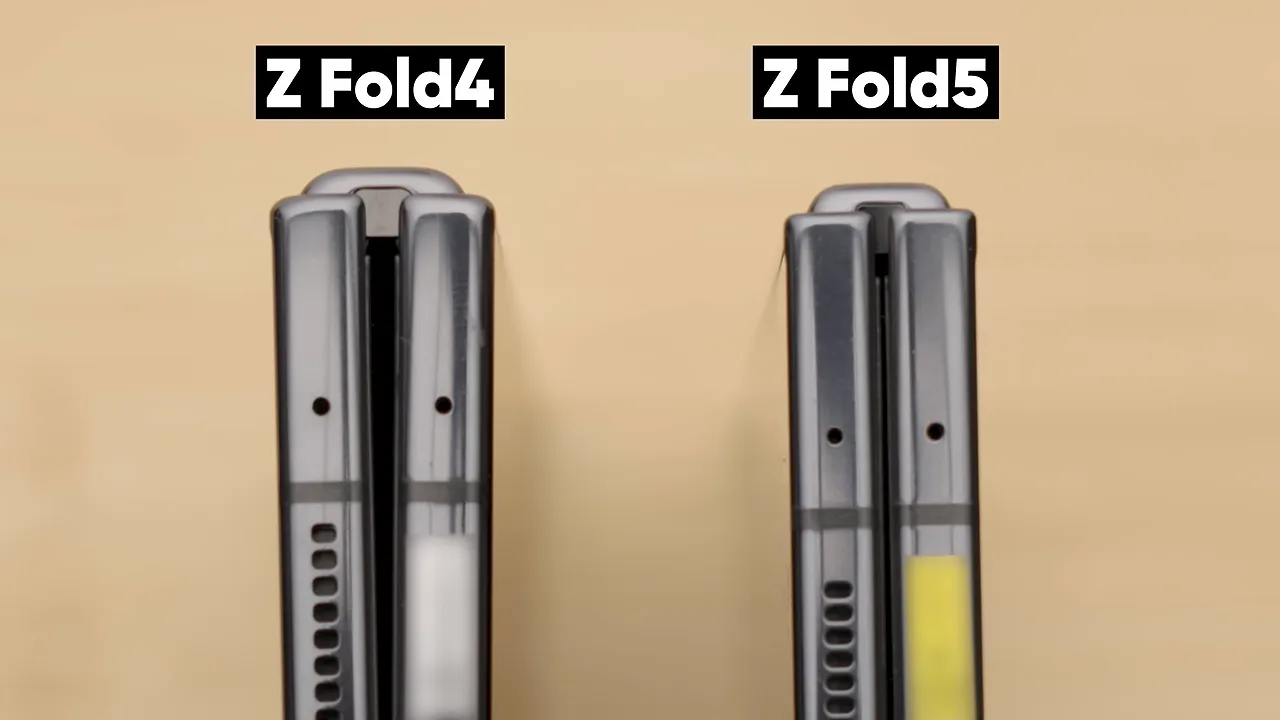
Both displays reached up to 1,700 nits peak brightness, improving outdoor usability and making media look better. Charging could take the battery from zero to 94 percent in an hour, and the Snapdragon 8 Gen 2 delivered excellent performance against competing foldables.
The rear camera experience was noticeably better as well.
None of those improvements changed the fundamental concept. Together, though, they made the concept feel much more polished. The Fold5 was simply a fantastic phone to use.
Galaxy Z Fold6: Better Screens, but a Skip for Me
I skipped the Fold6. That does not mean nothing improved.
It was a little lighter, its displays reached up to 2,600 nits peak brightness, and its cover screen became slightly shorter and wider. Once again, Samsung was making closed-phone typing less cramped.
The Fold6 generation also coincided with a useful change beyond foldable hardware: richer cross-platform messaging through RCS. Photos, other rich media, and group conversations with iPhone-using friends became less frustrating. That was not a special trick of the folding screen, but it improved life on Android.
Samsung also introduced a program offering eligible customers who purchased directly from the company a free screen or screen-protector replacement within two years. That kind of support matters when the folding display is both the main attraction and a potential source of anxiety.
My biggest objection was physical: the sharper corners did not feel like an ergonomic improvement. Samsung made the phone more angular, and I did not think that trade-off made much sense in the hand.
At least, not until the next generation changed the rest of the package.
Galaxy Z Fold7: The One I Actually Carry
The Fold7 has been my daily driver pretty much since it came out, and I freaking love it.
Yes, it still has sharp corners. But the reductions in weight and thickness fundamentally changed how the phone feels. This was the first Fold that, to me, genuinely felt like a normal candy-bar phone when closed, then turned into a giant tablet when opened.
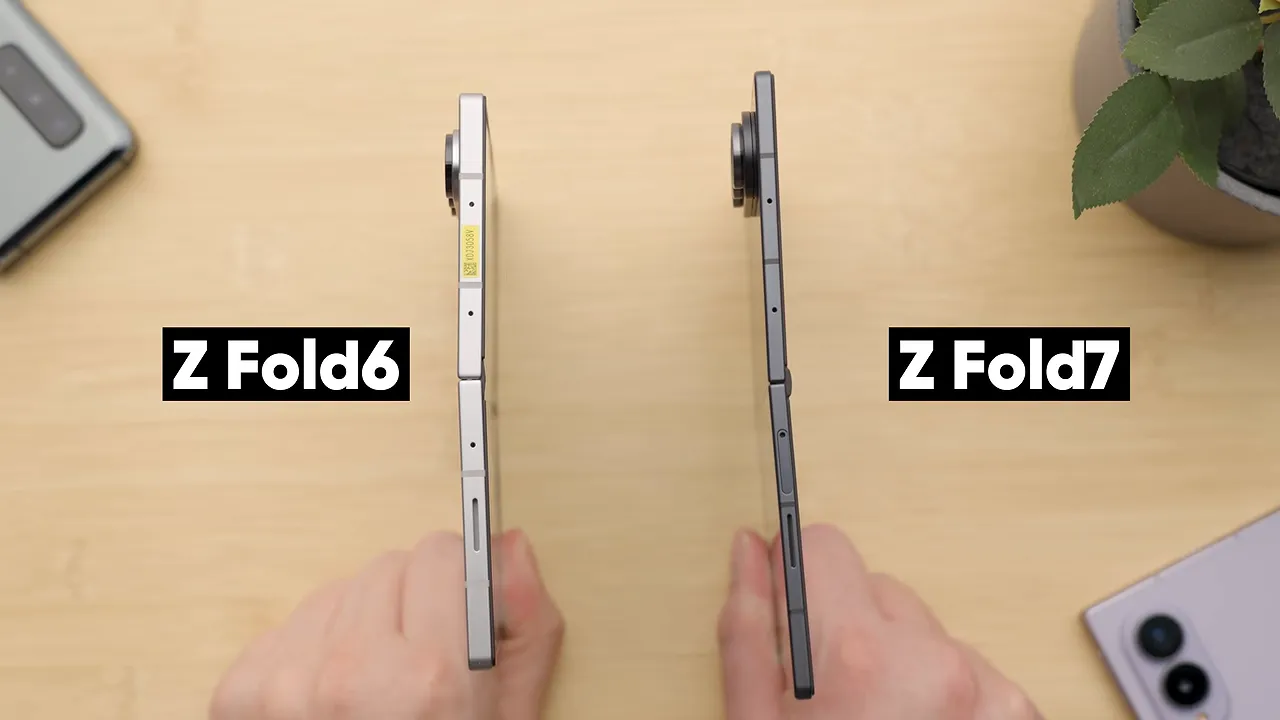
That distinction is important. A foldable spends plenty of time folded. Making that experience feel ordinary, in the best possible way, removes a compromise you encounter constantly.
Software improvements helped, too. Cross-platform Quick Share compatibility, added after launch, made sharing with AirDrop users easier. My battery life has been great, performance has been great, and the software keeps becoming more useful.
One small Android feature I particularly appreciate is the temporary rotation override. I can leave auto-rotate disabled, turn the phone, and use a little on-screen shortcut to rotate only when I want to. On a device that constantly changes shape and orientation, that is a lovely bit of control.
Why the Fold7’s trade-offs work for me
Some criticism of the Fold7 compares its battery life, durability, or cameras with the Galaxy S25 Ultra. Those comparisons are fair, but they do not fully capture why I buy this kind of phone.
I need to work with spreadsheets on the go. Not merely open one and squint at it, but actually use it. The large inner display makes a meaningful difference.
A foldable does not have to win every conventional-phone category to be the better tool for a particular person. For my use, the extra working space is the point.
The missing feature I still want back
The Fold7 is not perfect. Samsung removed the under-display selfie camera, replacing it with a hole punch. Turn the phone into landscape orientation and that hole can interrupt your content.
I miss the less obstructed display. Sponsorship or not, that is something I would love to see improved.
Galaxy Z Fold8: A Different Shape for Media
The Fold8 takes the design in a different direction with a 4:3 inner-display aspect ratio. That means smaller black bars than previous Folds for suitable content, and 4:3 material looks particularly good on it.
The other improvements include:
- Better battery life.
- Maximum screen brightness up to 3,000 nits.
- Improvements to the main cameras.
- A markedly less visible crease.
That last one stands out to me. The crease has been part of the compromise since the original, and the Fold8 makes a meaningful improvement even compared with the immediately preceding generation.
It has not vanished entirely. Angle the screen into the light and you can still find it. But there is a big difference between a crease that is technically present and one that is much easier to notice.
The Fold8 is also extremely pocketable when closed. That could make it interesting to former Galaxy Flip users who like a compact folded device but want something that opens into a larger screen.
Galaxy Z Fold8 Ultra: For the Biggest-Screen Crowd
The standard Fold8 changes the proportions substantially, but Samsung also has an option for people like me who want the largest possible screen in their pocket: the Fold8 Ultra.
Its improvements focus on the display experience and construction:
- Improved anti-glare performance to reduce distracting reflections.
- A less visible crease for a more continuous-looking display.
- A silicon-carbon battery, whose long-term benefits remain to be seen.
- An added titanium film layer intended to improve screen durability.
The battery chemistry sounds interesting, but it is not a substitute for long-term experience. Likewise, the titanium layer has a stated durability purpose; that does not tell us everything about how the screen will hold up over years of use.
The clearer distinction is the choice of form factor. The Fold8 emphasizes a different, media-friendly shape, while the Ultra caters to the desire for as much unfolding screen as possible.
What All These Generations Actually Changed
Put every Samsung Fold next to one another and the progress is not just about faster processors. It is about removing the little reasons you might resent using a folding phone.
The cover screen became useful. The hinge learned to hold an angle, then close without a gap. Water resistance reduced everyday anxiety. Better app layouts and S Pen support made the inner screen more than a novelty. Lower weight and thickness finally made the closed device feel like a conventional phone.
Not every generation was an essential upgrade. The Fold4 was restrained, and the Fold6 did not convince me to switch. The Fold2, Fold5, and Fold7 made bigger differences to my daily experience.
But the original promise has survived all of it: a useful phone that becomes a much larger workspace or media screen whenever you need one. That was enough to win me over at the beginning. Now it comes with far fewer apologies.
Moving to a Galaxy Fold
If you decide the form factor makes sense for you, Samsung’s Smart Switch software is designed to simplify moving from an older Galaxy, another Android device, or an iPhone. It is the migration tool to look at whether you are upgrading an existing Fold or trying one for the first time.
Samsung Canada provided the phones and sponsored this comparison. If the latest design is the one that interests you, you can check out the Galaxy Z Fold8 below.


