I figured I had reasonably strong forearms. Then Victor, one of our designers at Creator Warehouse, revealed that he had been arm wrestling for about two and a half years.
Naturally, I proposed that we settle every disagreement during his $5,000 AMD Ultimate Tech Upgrade with an arm wrestle. This was an excellent system for ensuring that I would never get my way.
Victor’s shopping list was also a little different from the usual pile of gaming hardware. Yes, there were PC upgrades. But there was also a washing machine for the family, a Bambu Lab 3D printer, and an entire arm wrestling training setup. Apparently, upgrading your setup can involve both DDR5 and discovering muscles your boss does not possess.
The Washing Machine Dispute Lasted About One Second
My first suggestion was to move and install the washing machine while everyone still had some energy. Victor’s plan was to unbox it and leave installation for another time.
We had a disagreement. We had an agreed method of dispute resolution. You can probably guess what happened next.
Before immediately destroying me, Victor explained an important distinction: arm wrestling is not simply planting your elbow and twisting sideways as hard as possible. Bad positioning can put dangerous rotational stress on your upper arm.
His demonstration emphasized pulling back, keeping your body involved, and moving with the arm rather than twisting away from it. A proper arm wrestling table also has pegs for the free hand, which help with positioning. This was a useful introduction, not a substitute for proper coaching. Arm wrestling can cause serious injuries, and brute force is not a safety strategy.
With that out of the way, Victor won so quickly that calling it a contest feels generous.
We were only going to unbox the washer. Then I noticed the accessible water shutoffs, the nearby utility sink for the drain, and the power outlet. His parents would appreciate having it installed. Surely this would be easy.
For context, I had never installed a washing machine before. I had also never read about installing one. Confidence was doing a lot of heavy lifting.
Simple Connections, Less Simple Plumbing
The new LG WM3600HWA front-load washer was considerably heavier than the old machine. Getting it through the doorway took some coordinated lifting, followed by a search for the right tools.
I requested an LTT screwdriver, then immediately discovered that what I actually needed was a socket or wrench. Excellent product placement. Less excellent tool selection.
The garage expedition turned up a metric wrench set, an old alarm panel that triggered some nostalgia, and a bellows. Remember that last item. It becomes relevant in the least expected way.
At the water connections, there was a genuinely useful detail: these washer hoses seal with rubber gaskets, not with the threads themselves. They did not need PTFE tape added to the threaded connections.
Identifying the hot and cold supplies produced an unexpected jet of water and another discovery: the old washer’s supplies appeared to have been connected backward. That would explain some confusing laundry temperatures.
Then came the leak test. Water was escaping around one of the existing shutoff valves, rather than where we initially suspected at the hose connection. It stopped leaking with the valve short of fully open, and a later check found the area dry.
That was the outcome of our improvised installation, not a recommendation to ignore a troublesome valve. The practical lesson is to check the existing plumbing as well as the new connections. A shiny new appliance does not magically renew everything attached to it.
Two PCs, Very Different Upgrade Plans
Upstairs, Victor’s parents had prepared a frankly outstanding spread of snacks. Tiny apples, enormous grapes, chocolates, drinks. A dangerous distraction for someone who was supposed to be working.
Beside it sat a Toy Story-themed PC. I assumed this was Victor’s main project. It was actually for his girlfriend.
That changed the shape of the upgrade considerably:
- His girlfriend’s PC: a new AMD CPU, a new motherboard, a 2TB NVMe SSD, and Victor’s existing 32GB memory kit.
- Victor’s PC: 64GB of new memory, another 2TB NVMe SSD, and a replacement power supply, while keeping the same CPU and GPU.
So, generous, but not quite new-RAM-for-everyone generous. His defense was that she would be getting 32GB, which is a perfectly respectable amount of memory. Fair enough.
What did Victor need 64GB for? Design work, apparently. Also MapleStory. An extremely well-provisioned MapleStory experience.
Before opening the themed PC, we protected the dining table. It looked like the sort of family furniture you really do not want to introduce to a loose screw or a motherboard standoff. I had already lost enough credibility downstairs.
A Ryzen 7 9800X3D Inside a Toy Story PC
The centerpiece of his girlfriend’s upgrade was an AMD Ryzen 7 9800X3D: eight cores, Zen 5 architecture, and AMD’s 3D V-Cache technology. That is a seriously capable gaming CPU for someone who was not currently doing much gaming.
Victor’s reasoning was simple: now she could.
Her previous system used a Ryzen 5 3600. To be clear, that does not automatically make a computer tragic. A Ryzen 3000-series system can still be useful. Victor simply has rather elevated standards.
Then he mentioned that her computer was blue-screening roughly every hour. Okay, that is a more compelling reason to do something about it. The crashes were a real problem, even if the age of the CPU alone was not.
The White Motherboard Had Features, Too
Why choose the white GIGABYTE X870 AORUS motherboard? Because it was white and matched the case.
I appreciate the honesty. It also had some genuinely interesting connectivity:
- An internal HDMI port for a display mounted inside the case.
- Two rear USB4 ports with DisplayPort support.
- 2.5Gb Ethernet.
- Wi-Fi 7.
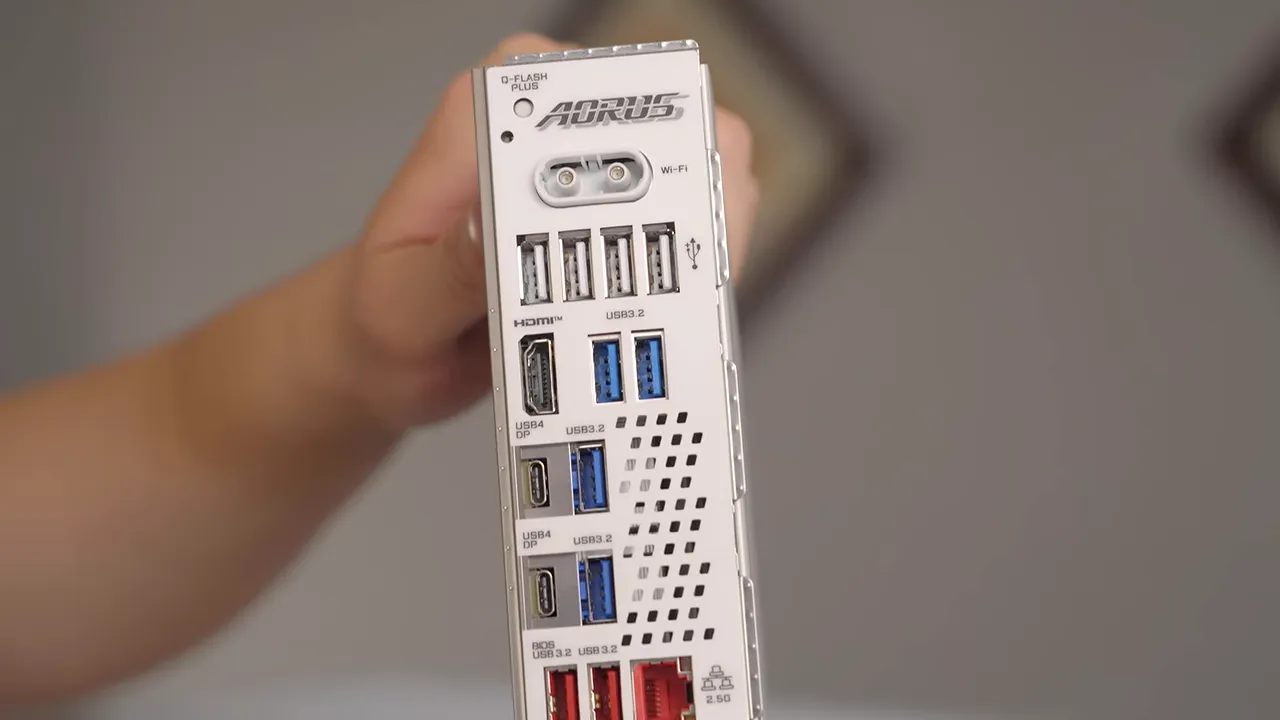
The original Toy Story motherboard was being retired as a display piece. It belonged to a different CPU platform, so retaining it was not an option for this AMD build. There was some discussion of the themed kit’s eye-watering collectible asking prices, but Victor was not interested in putting it back together just to sell it.
Unfortunately, preserving the theme did not mean preserving every bit of paint. I managed to scratch a painted section of the case while working on it. The finish came off alarmingly easily, but that does not make the scratch disappear.
Victor was remarkably relaxed about it. I apologized enough for both of us.
Assembly Order Matters in a Crowded Case
The build involved the usual collection of small jobs that are easy to underestimate: arranging cables, getting power connectors seated, lining up the motherboard, and finding the correct cooler mounting hardware.
A couple of habits made the process easier:
- Connect awkward cables while access is available. The CPU power connections are much less fun once everything around them is installed.
- Leave mounting screws slightly loose until alignment is right. Tightening one corner too early makes the remaining holes harder to line up.
- Install the graphics card last. It blocks access to too much of the motherboard to be a sensible early step.
The final assembly also exposed a small aesthetic crime: one of the themed interior details only mounted in an orientation that looked wrong. We checked. It really did go on that way. Star Command was in distress.
Victor’s Upgrade: More Capacity, Not a New Frame Rate
Victor’s existing PC was already a nice system. Rather than replacing its processor or graphics card, he chose upgrades around the edges.
- Memory: a G.SKILL 64GB DDR5-6000 CL30 kit, replacing 32GB.
- Storage: a WD_BLACK SN850X 2TB NVMe SSD, added alongside his existing boot drive.
- Power supply: a MONTECH Century II 1050W unit, replacing a working 850W supply.
There were actually two 2TB WD_BLACK SN850X drives in the upgrade pile. The second was intended to become the boot drive in his girlfriend’s PC.
Victor clearly enjoys the finer things. Small apples. Large memory capacities. Multiple high-end SSDs.
The power supply swap was the most labor-intensive part of his system upgrade because extracting the old unit meant dealing with all the associated cabling. His existing supply was working, so this was not a repair. Still, power delivery is an easy part of a build to overlook, and choosing an appropriate, quality PSU matters for stability and long-term operation. More wattage by itself is not a frame-rate upgrade.
The Bellows Was Somehow the Right Tool
What Victor’s PC definitely needed was cleaning.
It was not even sitting on the floor, yet there was enough dust inside to make me briefly reconsider my policy of cleaning people’s computers during these upgrades.
We did not have a compressor handy. We did have the garage bellows.
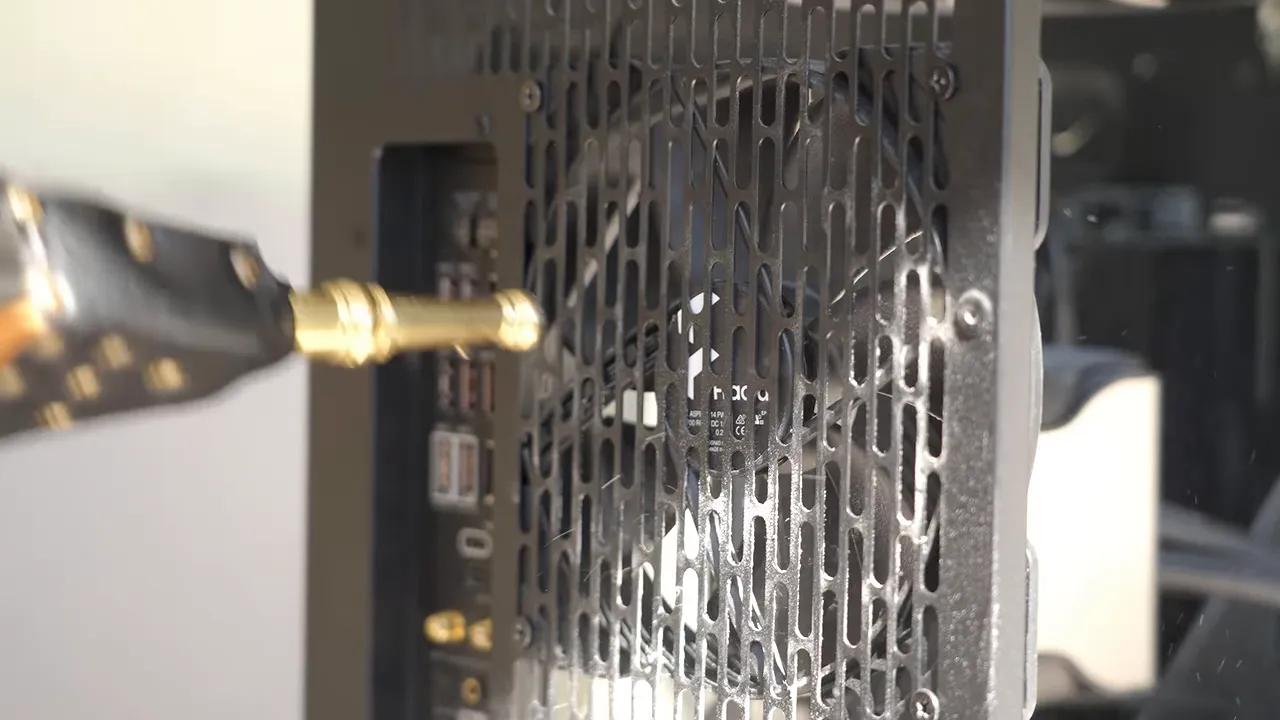
It worked surprisingly well. A few blasts made a visible difference, particularly around the fans. Standing downwind was less rewarding.
I would not have predicted that a fireplace accessory would become one of the more satisfying pieces of hardware we used all day. But here we were.
The Arm Wrestling Setup Explained Everything
With the PCs progressing, the team assembled Victor’s Ezreal professional arm wrestling table and pulley-based training equipment.
This was not just a special table for settling arguments. His setup combined elbow pads, free-hand pegs, weights, a pulley, and interchangeable handles for training specific movements.
One handle attached to the cable with a carabiner. Depending on how it was held and how the strap was routed, Victor could change how the resistance acted on his hand and wrist.
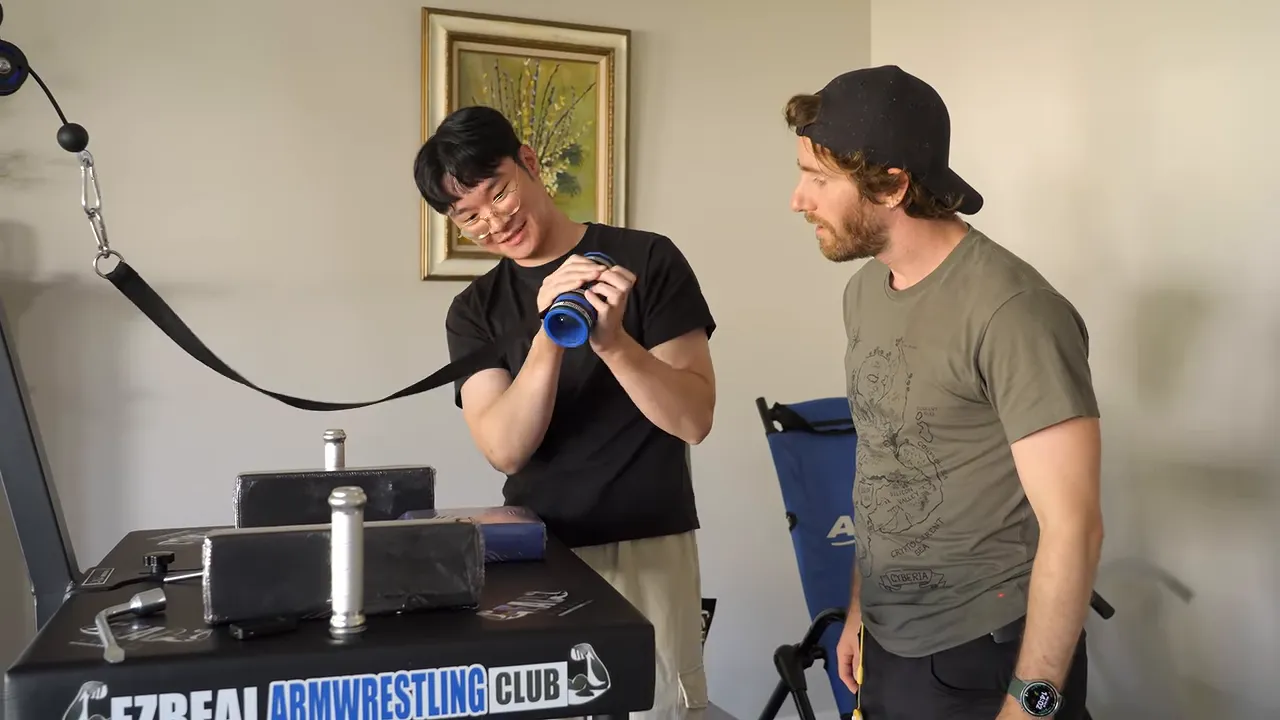
I tried moving the weight. The weight declined.
Obviously, this was a stance issue. Then it was a proximity-to-the-table issue. Then Victor explained that I should keep my arm tight toward my lat and bring my body into the movement.
It was still extremely hard.
The load was 25 pounds, and Victor moved it with an ease that explained our earlier match much more effectively than any verbal description could have.
The specialized strength was the interesting part. This was not simply a question of whether I could pick up 25 pounds. Applying force through that handle, in that position, was a completely different task.
A Strap Did Not Fix the Skill Gap
We tried another match at the proper table. Victor coached me through pulling back and keeping the motion connected to my body. When our hands slipped apart, we added a proper arm wrestling strap.
The strap kept our hands connected. It did not provide a firmware update for my forearms.
Victor won again. At that point, the most productive thing I could do was appreciate how cool the hobby was and return to the computers while my arm still worked.
A Bambu Lab Printer With an Actual Job Planned
The 3D printer was a Bambu Lab P1-series combo with an AMS, Bambu’s Automatic Material System. Its included filament amounted to three small starter spools, rather than three full-size ones.
Victor’s selection process was refreshingly direct: someone had told him it was good.
During setup, the team asked whether he still needed the external spool holder if he had an AMS. Yes, it could still be useful. Some softer filaments, including certain TPU materials, are not compatible with that AMS, so an external feed remains relevant.
An automatic material system does not eliminate the need to check filament compatibility. That is worth remembering before removing every accessory that appears redundant.
Finding a home for the printer became its own recurring project. Eventually, it landed downstairs in the garage area on top of a refrigerator, near an outlet.
What was Victor going to print first? Arm wrestling handles. Suddenly, the printer and the pulley setup made a lot more sense as parts of the same upgrade.
At the final check-in, the team had configured the printer but had not yet completed a test print. Setup and a verified result are different milestones, even when everyone is eager to declare victory.
A Very Nice Microphone and a Chair We Nearly Forgot
Victor also picked a Shure MV7+ dynamic microphone to replace his existing mic.
Was he streaming? No. Recording a podcast? Also no. It was for gaming.
That pretty much captured the purchasing philosophy of this entire project: given a $5,000 budget, Victor was going to buy some nice stuff. Not everything needed an elaborate productivity justification.
The most overlooked upgrade was his Haworth Soji chair. He had become impatient and started using it before we arrived, so it almost escaped discussion entirely.
His review was that it was comfortable. His demonstration involved sitting down and leaning back. Difficult to argue with that level of technical rigor.
First Boot, Keyboard Nonsense, and Actual Games
The Toy Story PC powered on, reached firmware setup, and needed an operating system installed on its new drive.
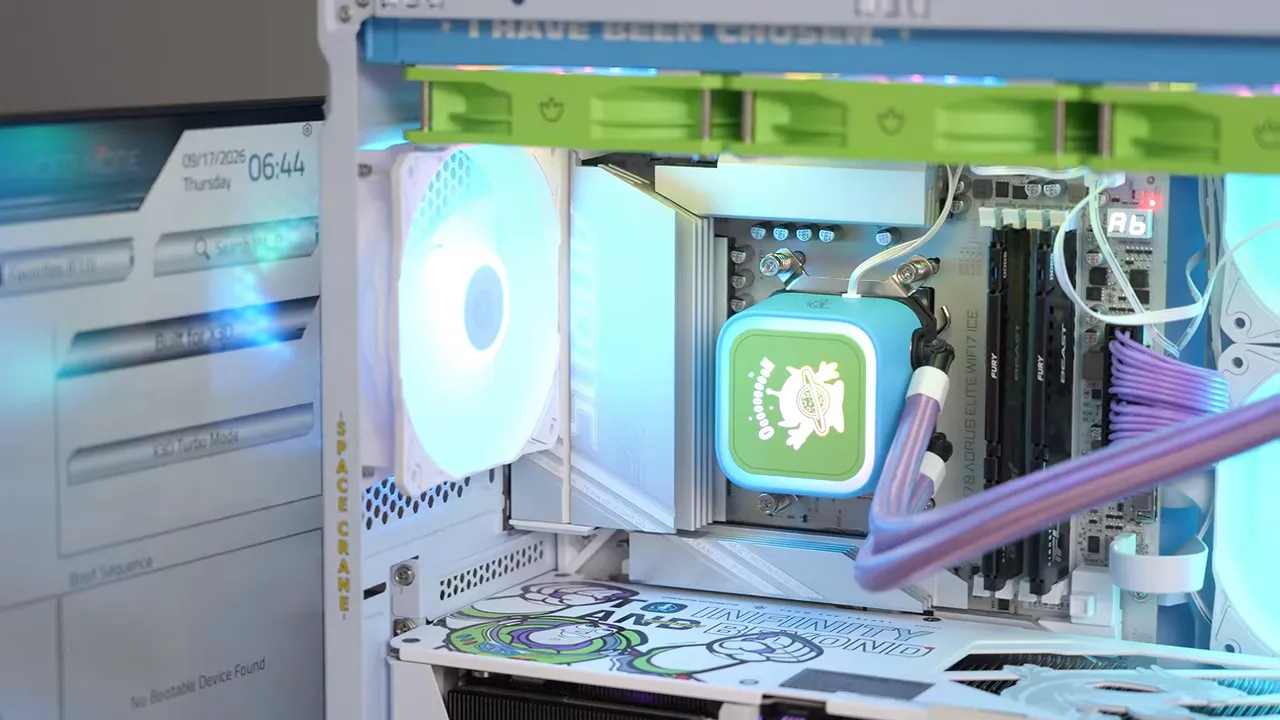
We checked the available memory settings, including EXPO-related options. The large cache on X3D processors can make them less dependent on faster system memory in gaming, though that does not mean memory configuration is irrelevant.
Then I tried to save settings and became annoyed at a compact keyboard’s missing dedicated F10 key.
As it turned out, the more immediate problem was that the keyboard was not working properly. Swapping keyboards got us moving again. Before blaming the BIOS, it is worth confirming that your input device is actually providing input. Revolutionary troubleshooting.
Once the system was running, there was the inevitable joke about delivering the ultimate Overcooked experience. We also tried something more demanding and saw roughly 100 frames per second in the game we ran.
That was a successful hands-on check, not a controlled benchmark suite. Her intended resolution was probably 1080p, and the system was comfortably equipped for the gaming Victor wanted to open up to her.
The Monitor Choice Deserved Some Credit
Back at Victor’s desk, his own upgraded system was doing what it had done before: running MapleStory.
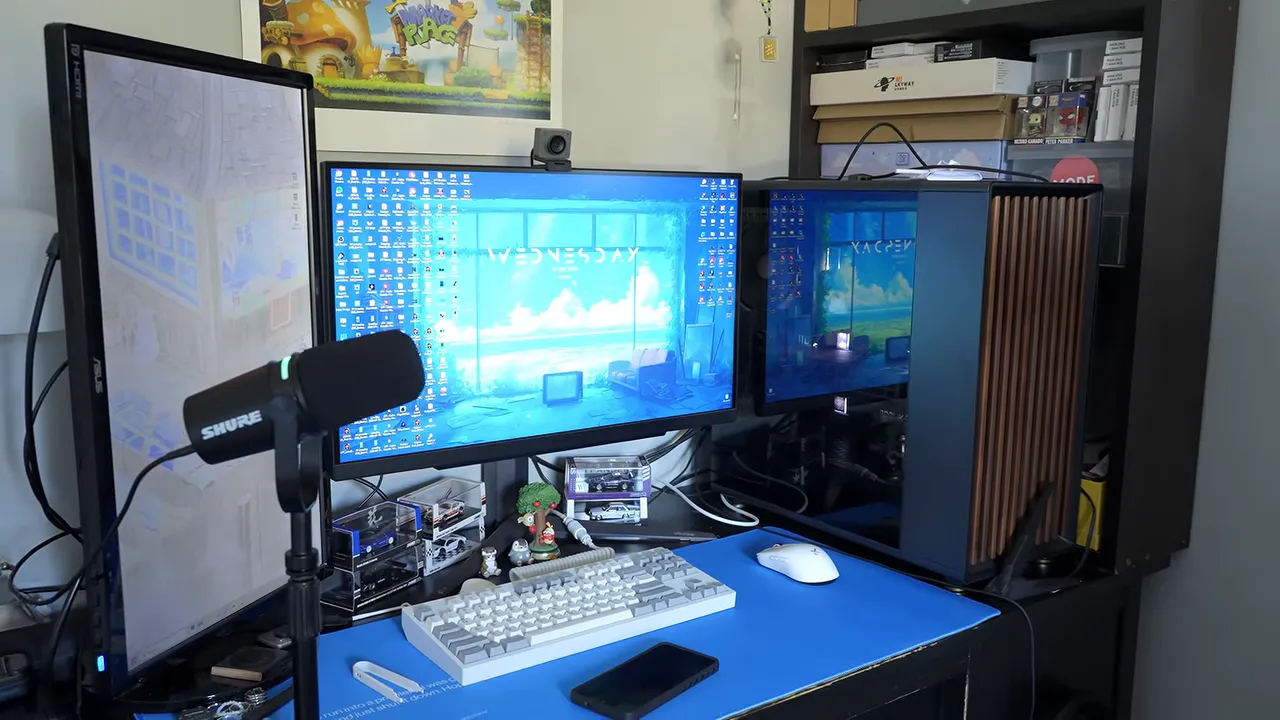
There was one decision I genuinely appreciated. He could have kept the better display for himself and handed his girlfriend his old secondary monitor. Instead, he kept the secondary screen with the impressively poor viewing angles.
It was such a thoroughly TN-panel experience that, for a moment, it looked like someone had installed a privacy filter.
Her old monitor was a basic 60Hz display, but Victor had not used that as an excuse to give her the worst screen available. For all the jokes about the RAM hand-me-down, his heart was clearly in this.
As for performance on his own PC, the result was exactly what you would expect: the same CPU and GPU delivered essentially the same gaming performance. He now had 2TB more storage, 32GB more memory, a replacement power supply, a better microphone, and a comfortable chair. Those are real upgrades, even when the frame counter does not change.
A $5,000 Upgrade That Reached Beyond the Desk
This ended up being much broader than a gaming PC overhaul. His girlfriend received the major platform upgrade. His family received a new washer. Victor got more capacity in his existing PC, better desk equipment, a 3D printer, and a dedicated training and competition setup for a hobby I had seriously underestimated.
Some choices were practical. Some were indulgent. Some involved me discovering that my entire arm was apparently an entry-level model.
And, since Victor’s day job is design, his work was already hiding in plain sight. The Blue Screen of Death desk pad is one of the products he worked on. Conveniently, that version of a blue screen is much easier to live with than the hourly crashes his girlfriend had been dealing with.
AMD sponsored the upgrade and announced a giveaway of three Ryzen 7 9800X3D processors alongside it. The linked sweepstakes page has the applicable availability, eligibility, and entry details.


